
Choosing the right smart security system for a home can feel overwhelming with the variety of options available today. It is essential to consider specific needs, such as property size, budget, and desired features. A well-chosen smart security system should offer comprehensive protection while seamlessly integrating with the homeowner’s lifestyle.
Technology plays a crucial role in modern security systems, from high-definition cameras to smart locks and motion detectors. Understanding the differences in features, compatibility with other smart devices, and user-friendly interfaces can greatly enhance the security experience. Investing in a system that not only protects but also provides peace of mind is paramount.
Homeowners should prioritize systems with reliable customer support and reputable brand history. Assessing reviews and testimonials can help in identifying the most effective options. A thoughtful approach to selecting a smart security system can lead to a safer and more secure living environment.
Essential Components of Smart Security Systems
A comprehensive smart security system includes various components tailored to meet specific safety needs. Key elements like cameras, sensors, alarm systems, and smart locks work together to enhance home security effectively.
Security Cameras: Indoor, Outdoor, and Doorbell Options
Security cameras are vital for monitoring and deterring intruders. Outdoor cameras are designed to withstand various weather conditions while providing high-definition video and night vision capabilities. They can be equipped with features like motion detection and real-time alerts.
Indoor cameras are typically smaller and focus on securing specific areas, such as living rooms or nurseries. They often include two-way audio for communication.
Doorbell cameras combine the functions of a camera and a doorbell, enabling homeowners to see and speak with visitors remotely. Many models offer advanced features like facial recognition and package detection.
Sensors and Detectors: Motion, Door/Window, and Glass Break
Sensors play a crucial role in identifying unauthorized entry. Motion sensors utilize infrared technology to detect movement within their range, alerting homeowners to potential intruders.
Door/window sensors trigger an alert when a door or window is opened unexpectedly. These sensors can be placed on all entry points, providing comprehensive coverage.
Glass break sensors detect the sound of breaking glass, adding another layer of protection against forced entry. They are particularly useful for homes with large windows or sliding glass doors.
Alarm Systems, Sirens, and Keypads
Alarm systems serve as a primary deterrent against intruders. A typical setup includes a main control panel connected to various sensors and devices throughout the home.
Sirens are crucial for alarming residents and neighbors during a break-in. They can often be programmed to emit different sounds for various alerts.
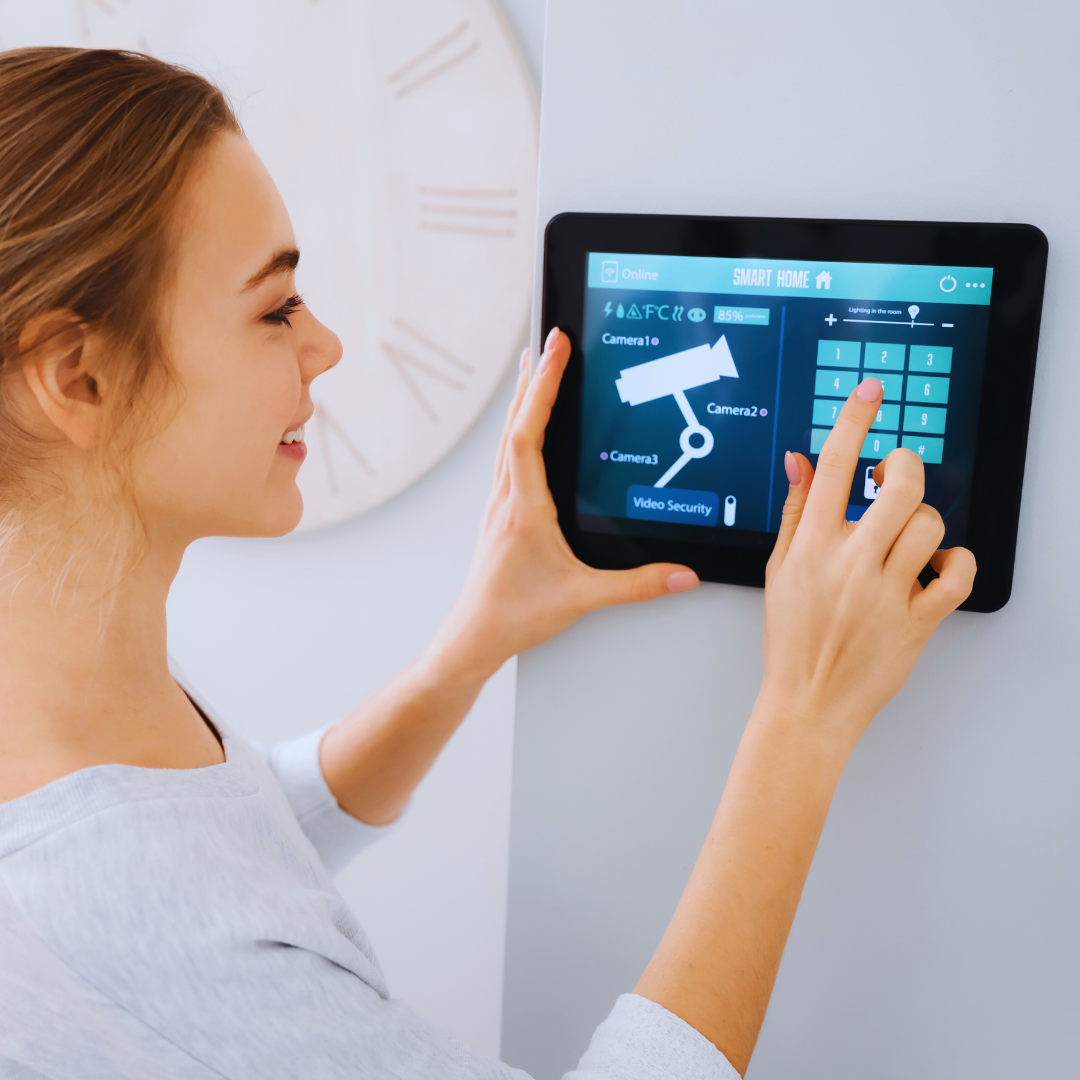
Keypads allow homeowners to easily arm or disarm the system. Some modern keypads come with touchscreens and smartphone app integration. This provides flexibility and ease of use for managing security settings.
Smart Locks and Access Control
Smart locks provide enhanced access control over traditional locking mechanisms. These devices allow for keyless entry through PIN codes, biometric scans, or smartphone apps.
Remote access enables homeowners to lock or unlock doors from anywhere, making it convenient for granting access to guests or service personnel.
Many smart locks integrate with other smart home devices, providing a cohesive security solution. This includes features like temporary access codes and activity logs to track who enters and exits the home.
Evaluating Features and Compatibility
Choosing a smart security system requires careful consideration of its features and compatibility with other devices. Understanding integration options, storage needs, and support for various technologies will help create a cohesive security setup.
Smart Home Integration and Automation
Smart security systems should seamlessly integrate with existing smart home devices. Compatibility with protocols like Zigbee and Z-Wave allows for effective communication between security devices and other components.
Factors to consider include:
- Device Variety: Ensure the system can connect with cameras, door sensors, and smart locks.
- Home Automation: Look for options to automate security responses, such as locking doors when the system activates.
A well-integrated system enhances user experience and provides greater control.
Cloud Storage and Remote Access
Cloud storage is vital for accessing recorded footage and live feeds remotely. Many systems offer various storage plans that can impact cost and functionality.
Key points are:
- Storage Options: Consider whether the system provides free storage for a limited days or offers paid plans for extended access.
- Remote Access: Evaluate mobile app capabilities. The ability to view live streams or receive instant alerts is crucial for monitoring security.
Ensuring reliable remote access helps maintain peace of mind, especially when away from home.
Wireless vs. Wired Systems
Wireless security systems offer flexibility in installation and placement. They simplify setup and can easily adapt to changes in home layout.
Key considerations include:
- Ease of Installation: Wireless systems often require minimal tools and expertise, making them ideal for renters.
- Signal Reliability: Consider the potential for interference from other devices. Heavier reliance on Wi-Fi may lead to connectivity issues.
Wired systems may provide more consistent performance but require professional installation.
Voice Assistant and IoT Compatibility
Compatibility with voice assistants such as Amazon Alexa enhances a smart security system’s functionality. Users can perform commands through voice, adding convenience to security tasks.
Key compatibility aspects include:
- Voice Commands: The ability to arm or disarm the system through simple voice prompts increases usability.
- Internet of Things (IoT): A compatible system can work with other IoT devices, allowing for streamlined automation.
Assessing these factors ensures that the security system can meet the user’s needs for convenience and control.
Monitoring, Installation, and Privacy Considerations
When selecting a smart security system, understanding the monitoring options, installation methods, and privacy issues is crucial. This section explores these aspects to help in making an informed decision.
Monitoring Options: DIY vs. Professional
Monitoring options can significantly affect security features. DIY home security systems allow users to set up monitoring without professional help. They often include mobile apps for self-monitoring and real-time alerts.
Professional monitoring offers trained personnel who respond to alerts promptly. Some systems can integrate both options, giving flexibility. Users should consider their comfort level with technology and readiness to respond to alerts.
A comparison of monitoring choices can be summarized as follows:
|
Monitoring Type |
Advantages | Disadvantages |
|
DIY Monitoring |
Cost-effective, customizable |
Requires user involvement |
| Professional Monitoring | 24/7 support, expert response |
Higher ongoing costs |
Installation Methods and User Experience
Installation methods play a crucial role in user experience. DIY installation often allows for flexibility and immediacy. Many products come with clear instructions and can typically be set up within a few hours.
Professional installation ensures correct setup by trained technicians. This option can alleviate concerns about misconfigurations. However, it may involve scheduling and additional costs.
Homeowners should evaluate how much time they can invest in installation and whether they prefer independence or expert assistance.
Real-Time Alerts and Remote Monitoring
Real-time alerts are essential for effective security. Most smart systems provide instant notifications via mobile apps when an event occurs. This feature allows homeowners to respond immediately to potential breaches.
Remote monitoring is another important aspect. Users can check camera feeds and system status from anywhere. This capability increases peace of mind, especially for those who travel frequently.
Homeowners should assess how these features align with their lifestyle. They must also ensure that the system provides reliable connectivity and a user-friendly interface for peace of mind.
Addressing Privacy and Security Concerns
Privacy concerns are paramount with smart security systems. Users must be aware of how their data is stored and managed. Some systems may store video footage on cloud servers, which can expose them to breaches.
It’s essential to choose systems with robust encryption and privacy policies. Regular firmware updates can also help protect against vulnerabilities.
Transparency regarding data usage is crucial. Users should read the terms of service carefully and consider opting out of data sharing if available.
Selecting an appropriate system requires balancing convenience with privacy measures. Systems that prioritize user privacy can provide added security and peace of mind.
Making an Informed Decision: Costs, Reviews, and Long-Term Value
Choosing a smart security system involves evaluating several key factors, including costs, user experiences, and the longevity of the investment. Knowing about subscription fees, user reviews, system expandability, and environmental sensors can help in making a better choice.
Comparing Subscription Fees and Upfront Costs
When assessing smart security systems like SimpliSafe, it is crucial to analyze both upfront and subscription costs. Upfront fees usually cover equipment purchases, while subscription fees often provide access to professional monitoring services.
|
Cost Type |
Description |
|
Upfront Costs |
Cost of buying the equipment |
| Monthly Fees |
Ongoing charge for monitoring services |
Monthly subscription fees can range from $15 to over $50 based on service levels. Weighing these options helps determine the most financially viable solution for long-term use.
User Reviews and Brand Reputation
User reviews play a significant role in evaluating the reputation of a smart security system. Platforms like Amazon or specialized review sites offer insights into customer satisfaction.
- Look for brands with consistently high ratings.
- Pay attention to feedback regarding installation and customer service.
SimpliSafe, for example, often receives praise for its ease of use and responsive support. Prospective buyers should read comprehensive reviews to glean honest experiences from actual users.
Expandability and System Upgrades
A smart security system should be adaptable to future needs. Potential buyers should consider solutions that allow for easy expansion.
- Check for compatibility with additional sensors and devices.
- Many systems permit upgrades as technology evolves.
This flexibility is essential when adding environmental sensors for detecting smoke or carbon monoxide. Systems that allow for user-friendly upgrades can provide long-term value.
Home Safety and Environmental Sensors
Home safety is enhanced through the integration of environmental sensors. These additions can monitor conditions beyond basic security, increasing the system’s functionality.
Key sensor types include:
- Smoke Detectors: Alerts for fire hazards.
- Carbon Monoxide Detectors: Essential for air quality.
- Flood Sensors: Protection against water damage.
By investing in these sensors, consumers can enhance their home protection significantly. A comprehensive security system addresses multiple threats, promoting peace of mind for homeowners.